
Joyagoo Spreadsheet: From a Good Find to a Clear Plan
Discover a new layer, an everyday pair or the detail that brings a look together. Browse the Joyagoo product categories, compare pictures and prices, and keep your favourite options together.
The guides below explain how Joyagoo fits into the buying process, what to look for in QC photos and how to plan the parcel after your items arrive.
What does Joyagoo do?
Joyagoo is a shopping-agent service used to purchase products from sellers in China and arrange onward delivery. Buying an item and sending the packed parcel internationally are separate stages. After an item reaches the warehouse, its photos and order information help you decide whether to keep it, ask a question or request an eligible return before shipping.
The spreadsheet fits before and around those stages: it helps you discover products and compare choices. Your own order record is where the selected option, payment, warehouse updates and shipment belong.
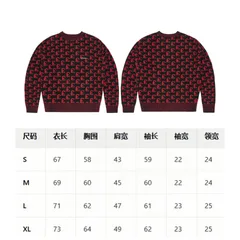
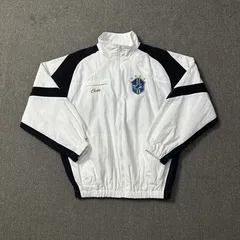
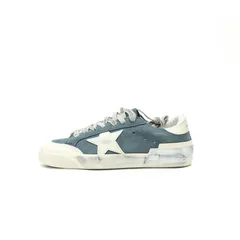
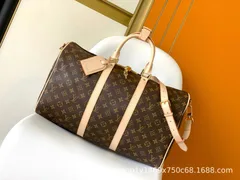
## Why start with this guide?Here you can move from a product category to the checks that matter for that item. A shoe needs a size comparison; a jacket needs useful garment measurements; a bag needs dimensions and a look at its compartments. The guides connect those choices with QC and shipping so that you can consider more than the item price.
Product and category buttons open the Joyagoo catalog. Use them to inspect current listings, then keep the exact product link for your shopping-agent order. This site helps with selection and preparation; your shopping agent handles the purchase and parcel.
## The shopping process at a glance- Find an item and open its current listing. Confirm the colour, size and contents of the selected option.
- Compare measurements and plan the item cost separately from delivery costs.
- Submit the selected item through your Joyagoo account and follow its purchase and warehouse status.
- Check the photos of your received item. Resolve an incorrect option or visible problem before arranging shipment.
- Choose eligible items, packing and a delivery route, then review the parcel charge before paying for international shipping.
- Follow the parcel's tracking and respond to any carrier request through a verified channel.
The step-by-step Joyagoo spreadsheet guide explains each decision in more detail. Start there if this is your first agent order; use the checks below if you already have a shortlist.
## What to put in a useful Joyagoo sheetGive each candidate its own row. Record the product link, chosen colour and size, quantity, displayed currency, measurements that matter, and the date you checked it. Add a separate column for your decision: compare, ask a question, order, or remove.
Keep product price, local delivery and international shipping in different columns. A price beside a thumbnail is not the delivered total. If a price changes when you choose another option, record the price for that option instead of the lowest number on the listing.
| Field | What to record | Why it matters |
|---|---|---|
| Item | Listing link and short description | Similar pictures may lead to different listings |
| Option | Colour, size and selected contents | A multi-item picture may show more than one purchase option |
| Fit | Relevant measurement and unit | A size label alone does not describe fit |
| Images | Listing photos and any matching QC | Each kind of image answers a different question |
| Cost | Product amount, currency and later charges | Prevents treating an item price as a parcel quote |
| Next step | One action and any open question | Makes the shortlist useful when you return |
For a backpack, first decide what must fit inside it. Compare the stated dimensions with the items you carry, then examine the opening, compartments and selected colour. A product photo can show pocket placement, but it does not establish how a packed bag feels on your shoulders.
Open a backpack listing and compare the available options with your list. Save the destination before leaving the page. Use the spreadsheet links guide if a saved link later opens a different item or a general search page.
## Add QC at the right stageListing pictures help you discover a design; matching QC photos help you inspect a particular item. Joyagoo describes arrival checks for visible issues, colour and size. Do not turn a clear photograph into a claim about durability or long-term performance. For electronics, its published inspection scope does not include power-on testing.
Use the QC photo guide to decide which detail needs a closer view. If an image belongs to another colour or listing, keep it as a comparison rather than attaching it to your order as proof.
## Move from items to a parcelOnce your product choices are clear, consider what will be packed together. International freight can depend on packed weight, dimensions, destination and route. A larger, light item can affect volumetric billing, so adding another item is not automatically cheap because its product price is low.
Read the shipping guide before comparing quotes. The step-by-step guide connects selection, payment, QC, packing and tracking without treating them as the same event.
## Using a 2026 sheet or revisiting a 2025 collectionA year in a title does not establish when an individual row was checked. Before carrying an older find into a new order, reopen the product, select the intended option and compare the current details with your note. A working URL can still show changed options or a different price.
Keep an old row only when it remains useful. If the product has disappeared, return to its category and compare replacements on their own details instead of treating a similar image as the same item. The spreadsheet links page helps you separate a broken link from a changed listing.
## Quick answersDo I need a huge spreadsheet?
No. A small list with working links, meaningful measurements and clear choices can be more useful than thousands of unreviewed rows.
Does a saved row reserve the product?
No. A shortlist helps you compare. Availability, selected options and the amount due must be checked at the destination when you act.
Can I use image search instead?
Yes, as a discovery step. Compare the returned product and selected option before saving a result. The image-search guide shows how to narrow an uncertain match.
A practical comparison checklist
| Check | A useful result | A reason to look closer |
|---|---|---|
| Destination | Opens the expected product | Redirects to a different product or an empty page |
| Options | Size, colour and included pieces are clear | One price is shown beside several different bundles |
| Measurements | Units and measuring method are stated | Only a familiar size label is supplied |
| QC | Product and option can be matched | Images have no useful item context |
| Cost | Currency and charge stage are clear | Item price is presented as the delivered cost |
| Navigation | Categories and links work on your phone | You cannot reopen a chosen item reliably |
Do not convert this checklist into a made-up quality score. A missing size measurement can matter more than several convenient navigation features if fit is the decision you need to make.
## Why the largest collection may not be the bestMore rows can improve discovery while also increasing repeated listings, old links and similar thumbnails. Check whether the collection lets you narrow the selection without losing the original destination. Sorting a spreadsheet is useful only when each row stays attached to the correct link and options.
A budget Joyagoo spreadsheet needs the same checks. A low listed amount may apply to one option, exclude later shipping, or refer to a different quantity. Compare like for like instead of choosing by the smallest visible number.